


You are part-way through an embedded SIM (eSIM) purchase and the form asks for a number you have never heard of. The support agent then asks for a different one. Your carrier wants a third.
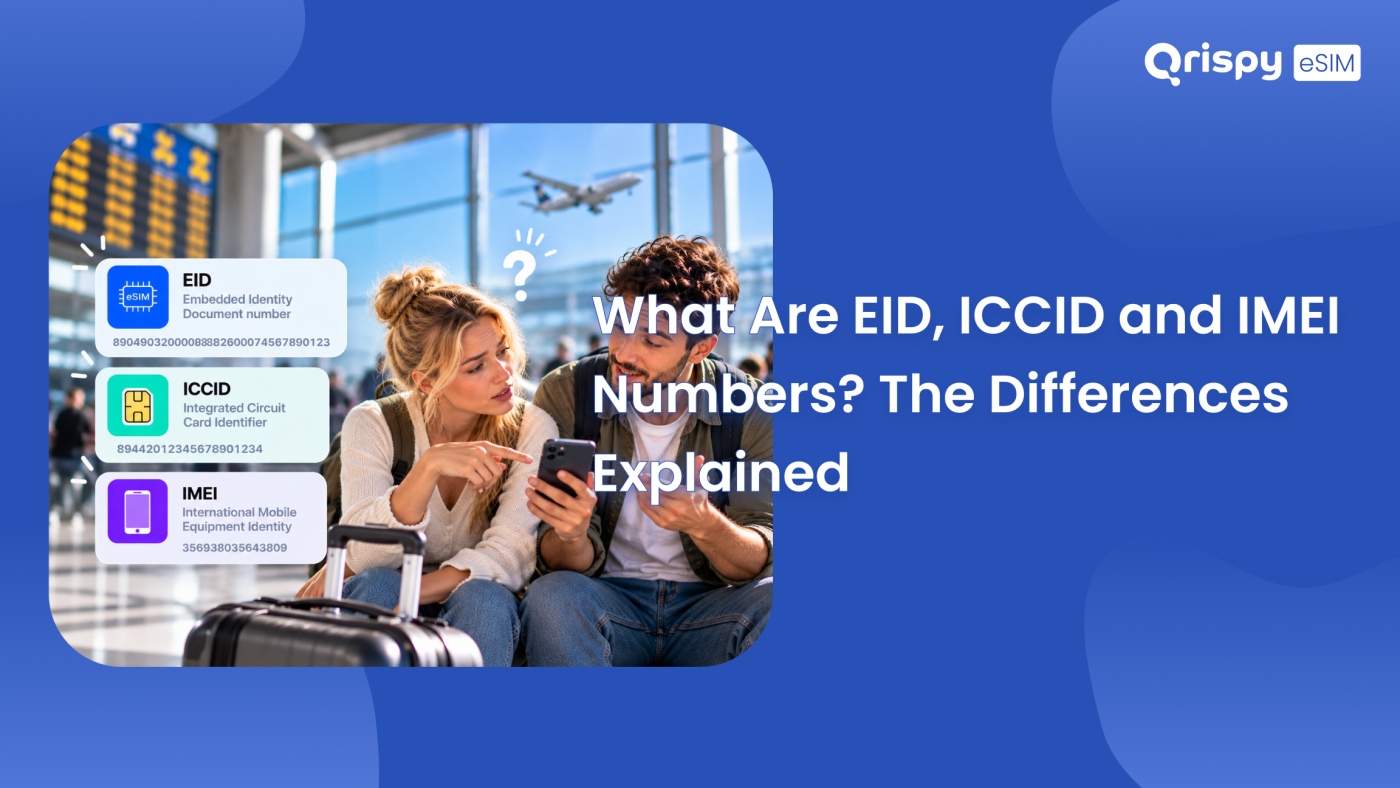
Here is the short answer. The eUICC Identifier (EID) identifies the eSIM chip built into your device. The Integrated Circuit Card Identifier (ICCID) identifies a single Subscriber Identity Module (SIM) profile living on that chip or on a plastic card. The International Mobile Equipment Identity (IMEI) identifies the handset hardware itself. Chip, subscription, phone: 3 separate things that are easy to confuse because they all look like long strings of digits.
This guide gives you the practical version. What each identifier is, how long it should be, when it changes, where to read it on iPhone and Android and which of the 3 a provider actually needs at each stage of setting up a plan.
EID vs ICCID vs IMEI explained
Start with the layers. Your phone is a piece of hardware, that hardware contains a small secure chip capable of holding downloaded SIM profiles, and each profile represents a subscription with a network. Every layer needs its own name, and each of the 3 identifiers names exactly one of them.
| Identifier | What it names | Length | When it changes |
|---|---|---|---|
| EID | The eSIM chip inside the device | 32 digits | Never, it is fixed to the chip |
| ICCID | A single SIM profile or subscription | Usually 19 or 20 digits | Every time you add a new profile |
| IMEI | The device and its radio | 15 digits | Never for a given handset |
The quickest way to keep them straight is to ask what would happen if you swapped things around. Sell the phone and the IMEI goes with it. Cancel the plan and the ICCID retires with the subscription. Do both and the EID still belongs to the chip inside the handset you sold, because it was soldered in at the factory.
What the EID number really is
EID stands for eUICC Identifier, and eUICC stands for embedded Universal Integrated Circuit Card. That is the formal name for the tiny secure chip that replaces the removable card in an eSIM-capable device. The EID is that chip’s serial number: 32 decimal digits, assigned during manufacture and permanent for the life of the device.
Providers use the EID when a profile has to be prepared for your specific device rather than handed over as a generic download. Direct installation flows, where a plan appears on your phone without you scanning anything, generally rely on it. Some device packaging prints the EID alongside the serial number, which is handy if the screen is broken and you cannot read it from Settings.
Treat the EID as identifying information rather than as a secret. It is not a password and it grants nobody access to your account on its own, but posting it publicly invites impersonation attempts against your provider’s support desk. Share it through an official app or portal and nowhere else.
What the ICCID identifies
ICCID stands for Integrated Circuit Card Identifier, and it belongs to a subscription rather than to a device. A plastic SIM card carries its ICCID printed along the plastic. A downloaded eSIM profile carries one just the same, which is why a phone holding several profiles holds several ICCIDs at once.
The structure follows an international numbering standard. It opens with 89, the industry identifier reserved for telecommunications, then a country code, then an issuer identifier that names the operator, then the account number and a final check digit. Support agents lean on it constantly, because it points at one line in the provisioning system without any ambiguity.
Because it is tied to the profile, the ICCID changes whenever you take a new plan on a new profile. Delete a profile and reinstall it and you may well see a different number afterwards. If you are quoting an ICCID to support, read it from the phone at that moment rather than from an email you kept from a previous trip.
What the IMEI tells a network
IMEI stands for International Mobile Equipment Identity. It is 15 digits long, it belongs to the handset radio rather than to any subscription and it stays with the device permanently. A dual SIM phone usually reports 2 of them, listed as IMEI and IMEI2, because each radio path gets its own.
Networks use it for 3 everyday jobs: confirming that a device is not on a blocklist after being reported lost or stolen, checking whether a handset is still locked to a carrier and working out what a device supports before provisioning a line. That last job is why a compatibility checker asks for it rather than for anything else.
Reading it from the dialler
Type *#06# into the phone app on almost any handset and the identifiers appear on screen without a menu hunt. Many current devices show the EID and the ICCID on the same panel, which makes this the fastest route when you are standing at a counter. The panel closes as soon as you dismiss it, so take a screenshot if you need the digits later.
Where to find them on iPhone
Open Settings, tap “General”, then “About”. Scroll down and you will find “EID” together with an “IMEI” entry, and a second entry labelled “IMEI2” on models that carry 2 radios. Each installed line has its own block further down the same screen, and the “ICCID” for that line sits inside it.
Touch and hold any of these rows to copy the value, which beats transcribing 32 digits by hand into a support form. Note that an ICCID only appears once a line is actually installed, so an iPhone with no eSIM profile yet will show the EID and the IMEI but nothing else. Apple keeps its device documentation at Apple Support.
Where to find them on Android
Pixel and stock builds
Go to Settings, then “About phone”. The “IMEI” appears in that list, and eSIM-capable models add an “EID” entry beneath it. For the ICCID, open the SIM status screen from the same About phone page and read the value for the line you are interested in. Google’s device help lives at Google Support.
Samsung Galaxy handsets
Samsung gathers everything in one place. Settings, then “About phone”, then “Status information” lists “IMEI”, “IMEI2”, “EID” and the “ICCID” for each installed line on a single screen. Other manufacturers place these entries in similar spots but rename the screens between releases, so use the dialler code as a fallback if the labels on your handset do not match.
Which number does your provider need?
Most of the confusion comes from being asked for the wrong thing at the wrong moment. The order below reflects how a normal eSIM purchase actually runs, from checking a device to sorting out a problem after activation.
- Checking whether a handset supports eSIM or is still carrier locked: the IMEI.
- Ordering a profile that installs directly, without a Quick Response (QR) code: the EID, occasionally with the IMEI.
- Scanning a QR code supplied by the provider: usually neither, since the code carries the details.
- Asking support why a line will not connect after installation: the ICCID.
- Reporting a lost or stolen handset to a carrier or the police: the IMEI.
- Moving your account to a replacement phone: the EID of the new device.
Write the 3 numbers into your password manager before you travel. A cracked screen or a flat battery makes every menu path in this article useless, and a provider cannot look up an account from a description of the problem alone.
Keeping your identifiers safe
None of these numbers is a credential, so nobody logs into anything with them. They are still worth protecting, because a support desk that is given a plausible-sounding identifier plus a convincing story is the weak point in most account takeover attempts. Screenshots posted in forums and community groups are the usual source.
Redact the middle of any identifier you share in public and leave only enough for someone to confirm the format. The examples below show the convention.
| Identifier | Length | Redacted example |
|---|---|---|
| EID | 32 digits | 89XX XXXX XXXX XXXX XXXX XXXX XXXX XXXX |
| ICCID | Usually 19 or 20 digits | 89XX XXXX XXXX XXXX XXX |
| IMEI | 15 digits | 35XX XXXX XXXX XXX |
The good news is that the underlying technology is built for this. An eSIM profile lives in the device secure element, provisioning uses encrypted delivery that follows the standards published by the GSM Association (GSMA), and an eSIM is considerably harder to clone than a plastic card that can be lifted out of a phone in seconds. You can read about the industry standards at the GSMA.
From identifier to working eSIM
Once you know which number you are being asked for, the rest of the setup is quick. Start with the IMEI, because compatibility comes first: run it through the Qrispy device compatibility checker to confirm your handset is unlocked and eSIM capable before you buy anything.
After that, the Qrispy One eSIM installs once and stays on the device permanently, covering 210+ countries and regions. You buy data 3 ways on that same profile: the Global Wallet for pay as you go, where credits never expire and every destination rate is shown before you confirm, a Fixed Plan for a single country or region, or an Unlimited Data Plan in 90+ countries, subject to fair use or temporary speed management during very heavy usage. Change phones and you buy a new One eSIM for the new EID, while your account credits stay exactly where they are.
Keep the ICCID to hand for anything that goes wrong later. It is the number the Qrispy help centre will ask for when a line has installed but will not connect, and having it ready turns a long exchange of messages into a short one.
Frequently asked questions
Is the EID the same as ICCID?
No. The EID is the serial number of the eSIM chip built into your device and never changes, while the ICCID identifies a single subscription profile stored on that chip. A phone has 1 EID for its lifetime but can collect a new ICCID with every plan you install, which is why support asks for them at different moments.
Does the EID change between plans?
No. The EID is fixed to the hardware at manufacture, so installing, deleting or replacing profiles leaves it untouched. It only changes when the device changes. That is the reason a provider preparing a direct installation asks for the EID of the specific handset you intend to use rather than for anything plan related.
Why does my phone show 2 IMEIs?
Dual SIM handsets carry 2 radio paths, and each one is assigned its own International Mobile Equipment Identity. Settings usually lists them as IMEI and IMEI2. When a checker or a carrier asks for a single value, give the first entry unless the request names a particular slot or line, and keep both recorded for reference.
Is it safe to share my EID?
Sharing it with your provider through their app or website is fine and often necessary. Posting it publicly is not, because an identifier plus a plausible story is how account takeover attempts usually start at a support desk. Redact the middle digits in screenshots and forum posts, leaving only enough for someone to check the format.
Which number do I need to install?
For a Quick Response code installation you normally need nothing, since the code carries everything. For a direct installation you need the EID, and sometimes the IMEI alongside it. Check compatibility with the IMEI first, because an unlocked and eSIM-capable handset is the prerequisite for either route working at all.
Where is the ICCID after installation?
On iPhone it appears inside the block for that line under Settings, General, About. On Pixel it sits in the SIM status screen reached from About phone, and Samsung lists it under Status information. The dialler code shows it on many handsets too, which is the quickest option when you are away from a desk.
Stay connected anywhere with Qrispy eSIM
Stay connected in 210+ countries with Global Wallet, Fixed Plans and Unlimited Data. No contracts, no roaming fees, no expiry. Download the Qrispy eSIM app today and start your journey.